Set Up Alipay & WeChat Pay with a Foreign Card
You want to pay by phone in China, but your overseas number, bank card, or a merchant's QR code may not work as expected.
Updated Oct 25, 2026
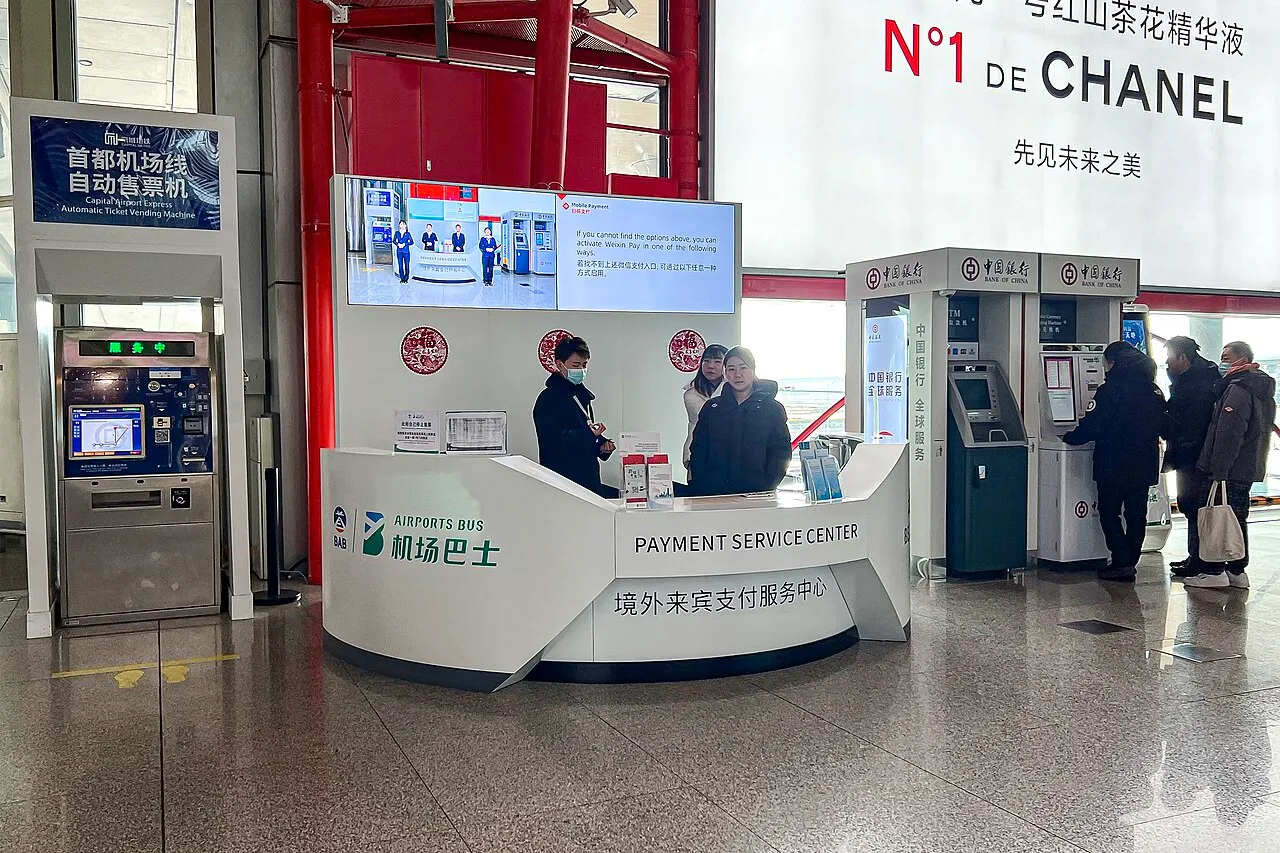
Photo source & license
Payment service center at ZBAA T3 Arrivals (20240207140327).jpg · Credit: N509FZ · CC BY-SA 4.0 · Photographed 2024Resized and converted to WebP; display framing may crop the photograph. The photograph and these versions retain the linked license.Quick sequence
Start here
- Register before you travel
Install the official Alipay and WeChat apps. Register with your own overseas number while it can receive SMS codes; a mainland Chinese number is not required, but delivery and account verification still have to succeed.
- Link a card and complete verification
In Alipay, choose the International Version and follow the card-linking prompts. In WeChat, use Me → Pay and Services → Wallet → Bank Cards. Check the card brands shown by each product and complete any identity and issuing-bank checks.
- Confirm the payment route
At a merchant, scan its supported collection code or present your payment code as instructed. Check the merchant, amount and final result in the app; a linked card does not make every QR code payable.
- Resolve failures at the source
For a card-linking failure, check the app message and contact the payment product or card issuer. For a failed purchase, ask whether the merchant supports that product and transaction type before trying another method.
- Carry non-app backups
Bring a physical bank card and a small amount of RMB cash appropriate to your itinerary. Card acceptance depends on the merchant and card-network marks, so neither the card nor cash should be your only backup.
Troubleshooting
Match your symptom
Your overseas number cannot register or the SMS code does not arrive.
- Check the country code and that the number can receive SMS where you are, then follow the app's current retry or account-recovery prompt.
- Use the official in-app help channel if registration or identity verification still cannot be completed.
我使用境外手机号注册,但收不到短信验证码。请问怎样完成注册?
Fallback: Do not rely on an account you could not verify. Use a payment app you already completed setting up, or your physical card or RMB cash where accepted.
Alipay or Weixin Pay rejects your international card during linking.
- Check that the card brand and card details match what the current app page accepts.
- Contact the issuing bank and the payment product: the 2026 multi-department guide says issuer verification is required and either side may need to resolve a failed link.
- If available, try another eligible card or complete setup in the other payment product; success is not guaranteed.
我的境外银行卡绑定失败,可能需要发卡行验证。请问应该怎样处理?
Fallback: Use the physical card at a merchant displaying its card-network mark, or use RMB cash. Keep the amount and location of your cash suitable for your immediate transport and lodging needs.
Your card is linked, but a merchant QR payment fails.
- Read the payment-page message and confirm that the merchant supports the selected app and the transaction type for an international card.
- Ask for a card or cash payment option instead of repeatedly scanning an unfamiliar code.
我的境外银行卡已经绑定,但这笔支付失败了。请问这个收款码支持支付宝或微信支付吗?我也可以用银行卡或现金。
Fallback: Try the other app only if you have already linked and verified a card there. Otherwise use your physical card where its network is accepted, or RMB cash.
Start with the purchase in front of you: tea or food at a counter, a staffed shop checkout, an online booking or deposit, or backup payment options. If you still need to register or add a card, use the steps above first.
Paying for tea or food at a counter
Agree on the item, portion or serving unit and the total. Ask whether you should scan the merchant’s collection code or show your own payment code. Check the merchant and amount in the app and confirm the successful result; scanning a code by itself does not mean that you paid.
If the purchase fails, keep the app message and ask for another method the business accepts. Avoid paying twice while the first result is unclear. Bring a prepared backup rather than relying on an unfamiliar app at the table.
Use these steps for a Chengdu tea afternoon or a Xi’an food walk. Ordering food or tea is a separate transaction from any nearby venue’s admission.
Paying at a staffed shop
Ask which card networks or mobile payment routes the checkout actually accepts. Present your payment code only when staff ask to scan it; for a card transaction, follow the terminal and issuer prompts. Keep the receipt and the final payment result if you need to discuss a refund or a mistaken charge.
A card accepted at one checkout does not establish acceptance at the next. Alipay, Weixin Pay and participating overseas wallets can have different coverage and transaction conditions.
Paying for an online package or deposit
First confirm the provider, selected date or session, included services, total price and cancellation terms. For a rental, ask separately about the deposit and its return. A successful payment is not a substitute for the activity’s confirmation or any separate attraction ticket.
For a Hanfu session, compare rental, styling and photography before checkout. If a form rejects your passport or phone number, use the booking-conditions checks before trying another payment route. Payment cannot repair an unusable identity or contact process.
Know the rules
- The 2026 multi-department guide says visitors can register Alipay or WeChat with an overseas or Chinese mobile number and follow the prompts to link an international card. Linking requires verification by the card issuer. If it fails, the guide directs you to the payment product or issuer.
- Alipay’s official traveller page supports its International Version and international-card linking. WeChat’s official help says an overseas number must be able to receive SMS codes, and international cards support everyday purchases in mainland China but not features such as red packets and money transfers.
- Supported card brands, transaction limits and fees can differ by product and can change. Check the current app page and service agreement rather than relying on a copied number. No payment product makes every merchant QR code payable.
Set up and pay
- Register while your normal phone number is reachable. Install the official apps and complete their SMS and identity prompts before departure where possible. Do not assume every number or account will pass every check.
- Link your own card. For Alipay, select the International Version after signing up and follow the card prompts. For Weixin Pay, open Me → Pay and Services → Wallet → Bank Cards → Add a Bank Card and follow the identity and card instructions. Menu labels can vary by version.
- Check the result, not just the scan. Scan a merchant-supported collection code or let the merchant scan your payment code. Confirm the merchant and amount, then keep the successful or failed result available when asking for help.
- Prepare a backup before you need it. Setting up both apps gives you another option, but only after each account and card has passed its own checks.
Ask for help in Chinese
- At a merchant after a failed payment: 我的境外银行卡已经绑定,但这笔支付失败了。请问这个收款码支持支付宝或微信支付吗?
- To ask for another way to pay: 请问我可以使用境外银行卡或人民币现金吗?
- When asking staff where to find product support: 我的境外银行卡绑定失败,可能需要发卡行验证。请问在哪里可以联系支付平台客服?
Keep a workable fallback
Carry a physical bank card and a small amount of RMB cash. Ask whether the merchant accepts your card’s network; for an ATM withdrawal, look for the matching card-network mark. A second app is useful only if it is already set up, and neither an app nor a physical card guarantees acceptance at every merchant. Keep enough offline information to contact your bank and your accommodation if you need help.
Sources and useful links
- 2026 Guide for Foreign Business Expatriates in China — official English editionChecked Oct 24, 2026
Daily Life Services covers overseas-number registration, issuer verification and product-specific payment limits and fees.
- 2026 Guide for Foreign Business Expatriates in China — mobile paymentsChecked Oct 22, 2026
Pages 3–4 support registration with an overseas or Chinese number, international-card linking, issuer verification, and product-specific card brands, limits and fees.
- Alipay+ — Pay in the Chinese mainlandChecked Oct 22, 2026
Supports the availability of Alipay's International Version and direct linking of international cards for traveller payments.
- WeChat Help Center — Add and Use International Cards with Weixin PayChecked Oct 22, 2026
Supports the overseas-number SMS requirement, passport setup path, and the everyday-purchase scope and feature limits of international cards.
Spotted something out of date? Let us know